
Understanding Express Typescript
A full-stack web framework built using ExpressJS, TypeScript & MongoDB
Principal Technical Consultant at GeekyAnts.
Bootstrapping our own Data Centre services.
I lead the development and management of innovative software products and frameworks at GeekyAnts, leveraging a wide range of technologies including OpenStack, Postgres, MySQL, GraphQL, Docker, Redis, API Gateway, Dapr, NodeJS, NextJS, and Laravel (PHP).
With over 9 years of hands-on experience, I specialize in agile software development, CI/CD implementation, security, scaling, design, architecture, and cloud infrastructure. My expertise extends to Metal as a Service (MaaS), Unattended OS Installation, OpenStack Cloud, Data Centre Automation & Management, and proficiency in utilizing tools like OpenNebula, Firecracker, FirecrackerContainerD, Qemu, and OpenVSwitch.
I guide and mentor a team of engineers, ensuring we meet our goals while fostering strong relationships with internal and external stakeholders. I contribute to various open-source projects on GitHub and share industry and technology insights on my blog at blog.faizahmed.in.
I hold an Engineer's Degree in Computer Science and Engineering from Raj Kumar Goel Engineering College and have multiple relevant certifications showcased on my LinkedIn skill badges.
In ExpressJS, we always have to start from scratch for things like CSRF/JWT Token, Exception Handling, Clusters, Queues, Cache, etc. So, I thought to make a boilerplate to kick start with technologies like Typescript, MongoDB and Pug Template.
You can find the repository on GitHub — geekyants/express-typescript.
Features:
#1. Exception Handling
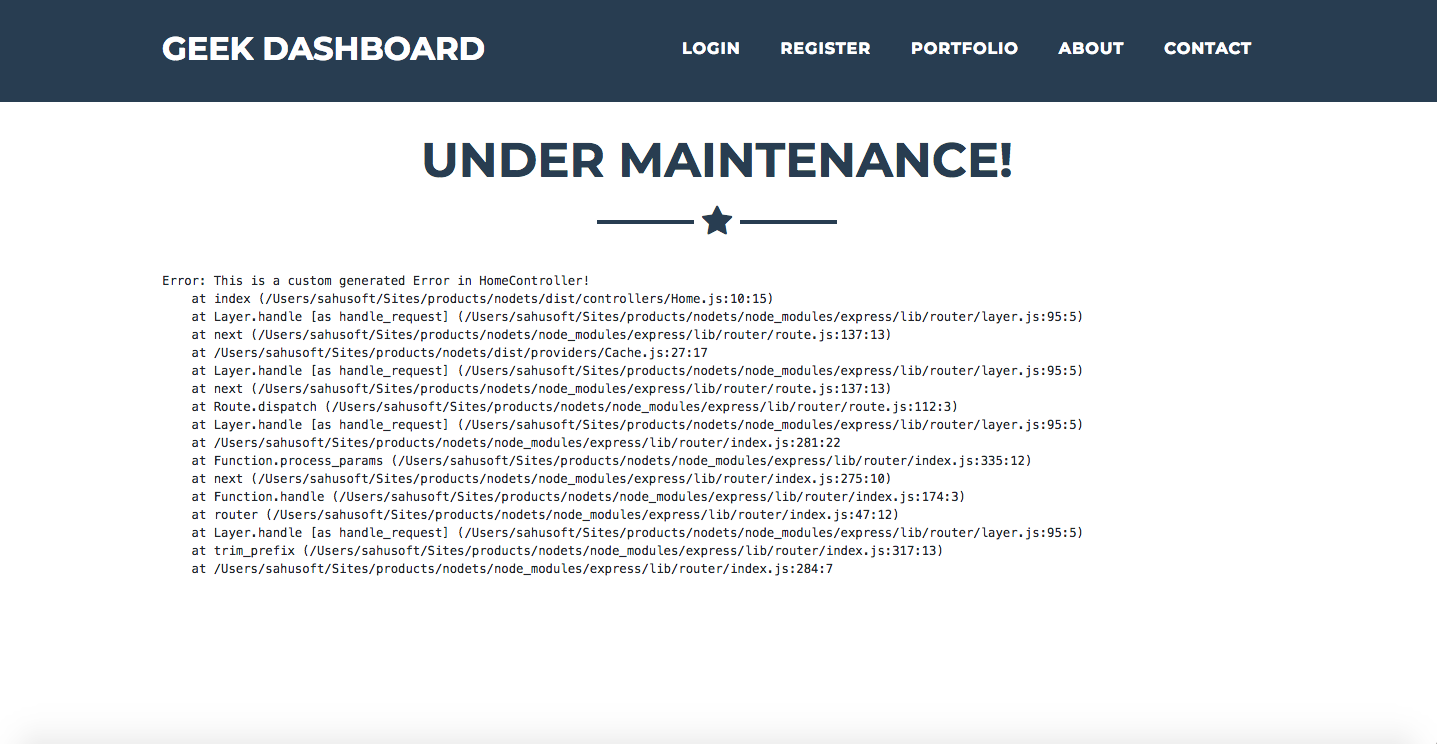 Rather than restarting the entire node app again & again for minor bugs.
We found our way out to handle exceptions & errors using Node’s process events.
So now we catch these errors & exceptions using Handlers and show our users a custom page.
Rather than restarting the entire node app again & again for minor bugs.
We found our way out to handle exceptions & errors using Node’s process events.
So now we catch these errors & exceptions using Handlers and show our users a custom page.
#2. Fork a New Cluster on Exit of Old Cluster
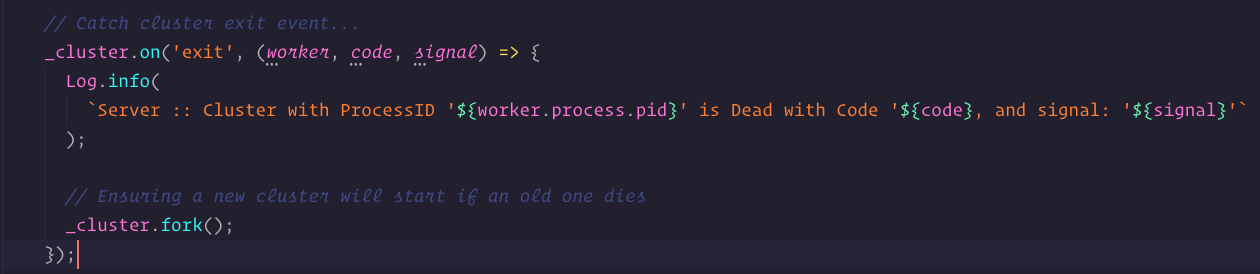 Rather than sending the entire load onto a single Core / CPU, we try to take advantage of a multi-core system to handle the load. Here, if the cluster dies due to some reason, we create / fork a new one immediately.
#3. Authentication (E-Mail with OAuth)
 Using PassportJS as an interface, we keep adding configurations & registering them in the app for social authentication.
#4. Logger
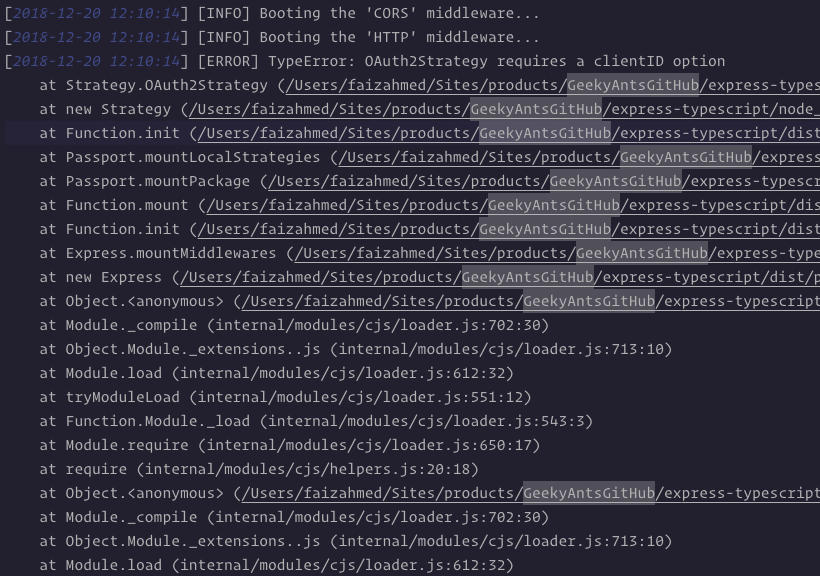 A Single Log class with methods like info, warn, error & custom.
These methods send the log string to a file under .log directory of your project root and keep creating these log files daily rather than having a single log file.
You can zip them every week too!
#5. DotEnv
Use of .env file, to load environment variables/constants for the entire app. So now, we have a single centralized constants location.
#6. Tokens
We prefer using CSRF token (stateful) for our Web routes whereas JWT token (stateless) for the API routes. So, here we create middlewares for both the tokens and registered them against Web and API routes respectively.
#7. Structure
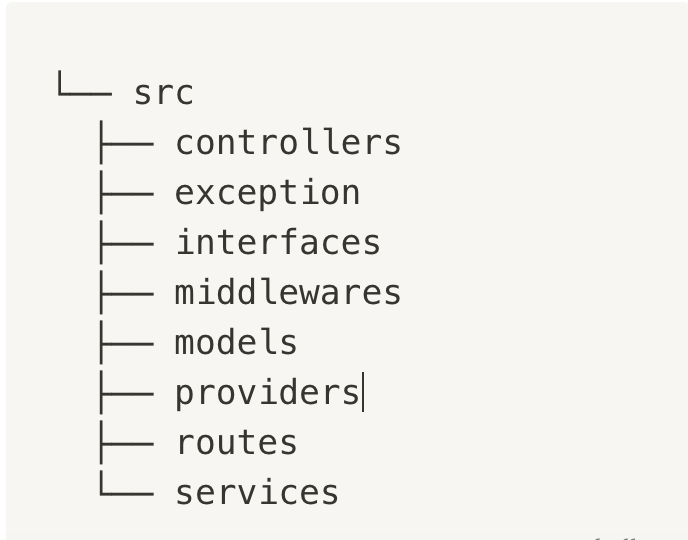
Structuring of folders/files structure in ExpressJS was a bit of a discussion.
Where to organize which files? Or is there even a perfect structure? At last, I came up with the following folder structure.
Note: The screenshot contains just parent level folders only.
#8. Queues
 There are various things in backend logic that do not really need to happen onto the request.
Things like sending out E-Mails or SMS texts, etc. So basically, things that require a connection to any third party service.
For this, I have used KueJS, a priority-based job queue that runs on a Redis driver.
#9. Cache
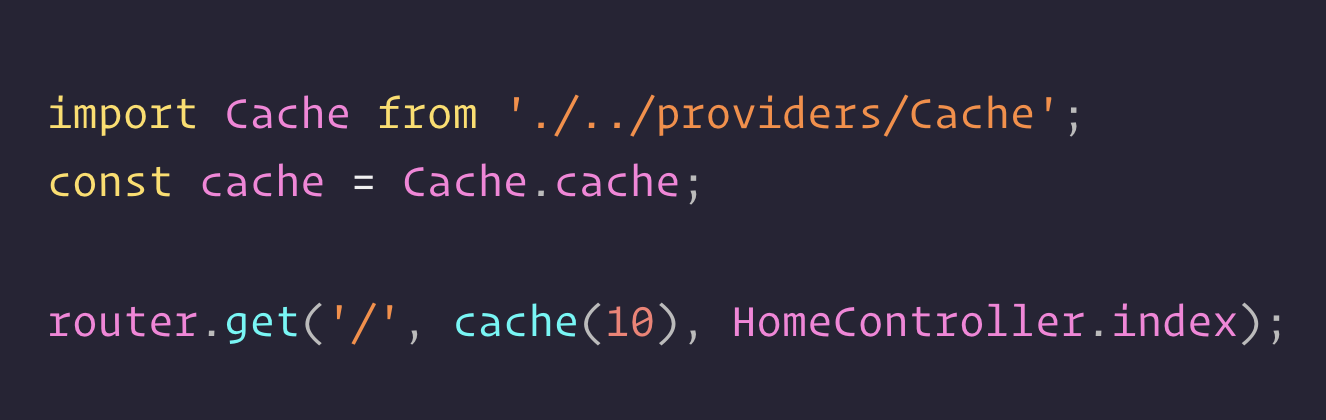 For the caching of web routes, I‘ve used a simple in-memory cache using memory-cache.
And many more…
About Me 👨💻
I'm Faiz A. Farooqui. Software Engineer from Bengaluru, India. Find out more about me @ faizahmed.in