
Zero-Downtime Deployments in Node.js: Real Strategies, Real Examples
Zero-downtime deployments are not fluff. They’re essential!

Principal Technical Consultant at GeekyAnts.
Bootstrapping our own Data Centre services.
I lead the development and management of innovative software products and frameworks at GeekyAnts, leveraging a wide range of technologies including OpenStack, Postgres, MySQL, GraphQL, Docker, Redis, API Gateway, Dapr, NodeJS, NextJS, and Laravel (PHP).
With over 9 years of hands-on experience, I specialize in agile software development, CI/CD implementation, security, scaling, design, architecture, and cloud infrastructure. My expertise extends to Metal as a Service (MaaS), Unattended OS Installation, OpenStack Cloud, Data Centre Automation & Management, and proficiency in utilizing tools like OpenNebula, Firecracker, FirecrackerContainerD, Qemu, and OpenVSwitch.
I guide and mentor a team of engineers, ensuring we meet our goals while fostering strong relationships with internal and external stakeholders. I contribute to various open-source projects on GitHub and share industry and technology insights on my blog at blog.faizahmed.in.
I hold an Engineer's Degree in Computer Science and Engineering from Raj Kumar Goel Engineering College and have multiple relevant certifications showcased on my LinkedIn skill badges.
“It’s 3 AM. The system’s live. You push an update and suddenly traffic falls off a cliff.”
That’s the moment teams stop being heroes. Zero-downtime deployments let you ride out updates in production—without the drama.
This post gives you actionable insights, backed by examples and sources - no distractions, just substance.
Why Downtime Still Hurts
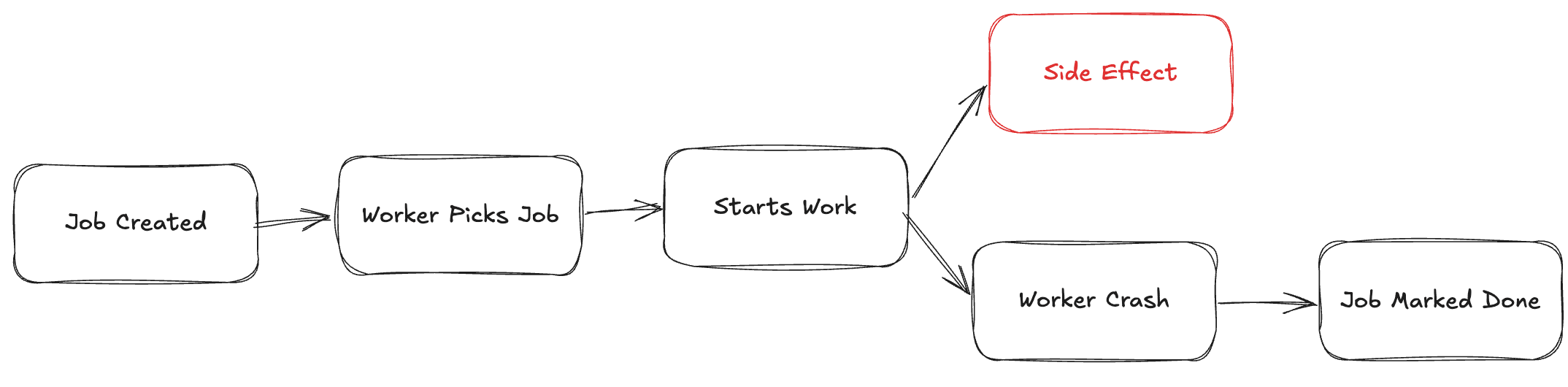
Even seconds of downtime can cost teams user trust or revenue. In Node.js, crashes often come from abrupt shutdowns, unhandled errors, or long-running connections being cut mid-flight. Ensuring high availability is now table stakes in production environments.
What Goes Wrong?
| Failure Scenario | Impact on Users | Fix Strategy |
| Terminating the server mid-connection | Dropped WebSocket / HTTP requests | Implement graceful shutdown |
| Database migrations that aren’t backward-compatible | Crashes or bad data | Expand → migrate → contract approach |
| Faulty load balancer config (e.g. missing health checks, no draining) | Routing to dead nodes — 502 responses | Configure LB health checks and draining |
Graceful shutdown is key. Node apps must stop accepting new traffic but finish in-flight requests in a controlled manner.
Proven Deployment Strategies
Blue–Green Deployments
Two parallel environments (Blue = live, Green = staging). once Green is healthy, flip traffic instantly.
Pros: Instant rollback, reliable release
Cons: Twice the infrastructure cost; databasing across environments is tricky
Canary Releases
Roll out new version to a fraction of users (e.g., 10%), monitor, then expand.
Pros: Safe rollouts, anomaly detection
Cons: Requires feature flags, can be complex to orchestrate
Rolling Updates
Replace nodes one by one behind your load balancer - maintaining availability.
Pros: Efficient use of resources
Cons: Possible mixed-version traffic unless health checks and probing are solid
Feature Flags / Dark Launches
Deploy code in production, but only activate features via runtime toggles.
Pros: Feature control, experiment safely
Cons: Requires disciplined flag hygiene and oversight. Often paired with Canary to minimise user exposure
Node.js Best Practices
Graceful Shutdown Example
const server = app.listen(PORT);
let shuttingDown = false;

process.on('SIGTERM', () => {
  shuttingDown = true;
  server.close(() => process.exit(0));
});

app.use((req, res, next) => {
  if (shuttingDown) {
    res.set('Connection', 'close');
    return res.status(503).send('Server shutting down');
  }
  next();
});
Signals stop accepting requests
Closes open connections cleanly before exit
Auto Reloads with PM2
pm2 start app.js --name api -i max
pm2 gracefulReload api
Cluster mode ensures rolling restarts with no downtime as long as at least one worker stays live.
Infrastructure Essentials
Load Balancers (NGINX, ALB, Traefik): support health checks and can gracefully drain traffic
Kubernetes: use readiness/liveness probes and terminationGracePeriodSeconds to ensure safe pod removal
Monitoring & Rollback Triggers: Prometheus, Datadog, or CloudWatch can detect latency spikes or error rates and auto-trigger rollbacks or alerts
Deployment Flow
What Strategy Works for You?
| Team Size | Cost Sensitivity | Risk Tolerance | Recommendation |
| Startup (1–5) | High | Moderate | Rolling updates + PM2 |
| SMB (5–50) | Moderate | Moderate | Canary + feature flags |
| Enterprise (>50) | Lower priority | Low | Blue-Green with CI/CD and InfrastructureAudits |
Final Thoughts
Zero-downtime isn’t a buzzword - it’s a competitive advantage.
For Node.js shops:
Always implement graceful shutdown
Use load balancers with draining enabled
Automate your deployment with structured canary or blue-green release patterns
Monitor performance and rollback on performance regressions
Deployments should be invisible to users not anxiety-inducing. Need help specifying a CI/CD pipeline or Kubernetes rollout script? I’d be happy to co-design it with you.